> ## Documentation Index
> Fetch the complete documentation index at: https://www.towbar.dev/llms.txt
> Use this file to discover all available pages before exploring further.

# Repositories

> Connect a repository and keep its deployable inventory in sync with Git.

A Repository connects a GitHub repository to Towbar. Its `towbar.yml` declares environments, and files under `.towbar/apps` and `.towbar/resources` define workloads. Each connected environment follows a branch selected in Towbar.

## Add a Repository

1. [Connect the GitHub App](/docs/integrations/github) and grant access to the repository.
2. Register each target IP address under [Servers](/docs/servers).
3. Commit a valid [manifest](/docs/reference/deployment-manifest) to the repository.
4. Open **Repositories → Add repository**, select the repository, then choose or add environments and map their deployment branches.
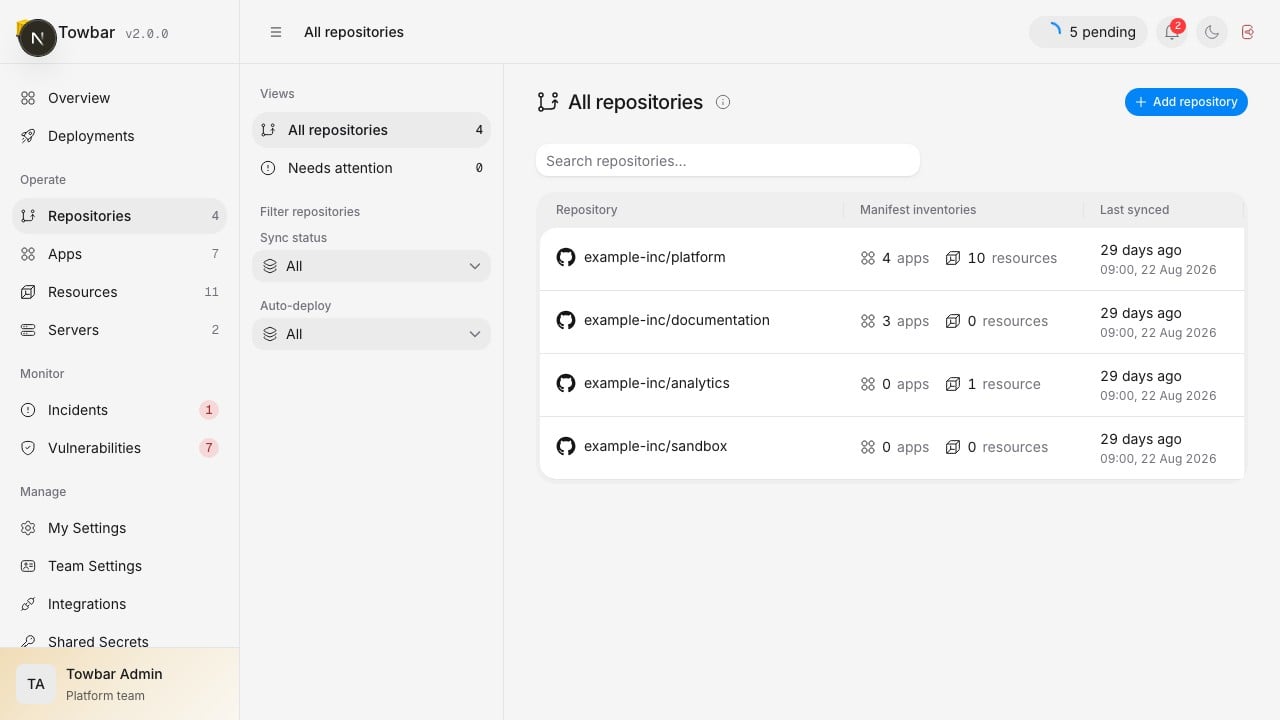
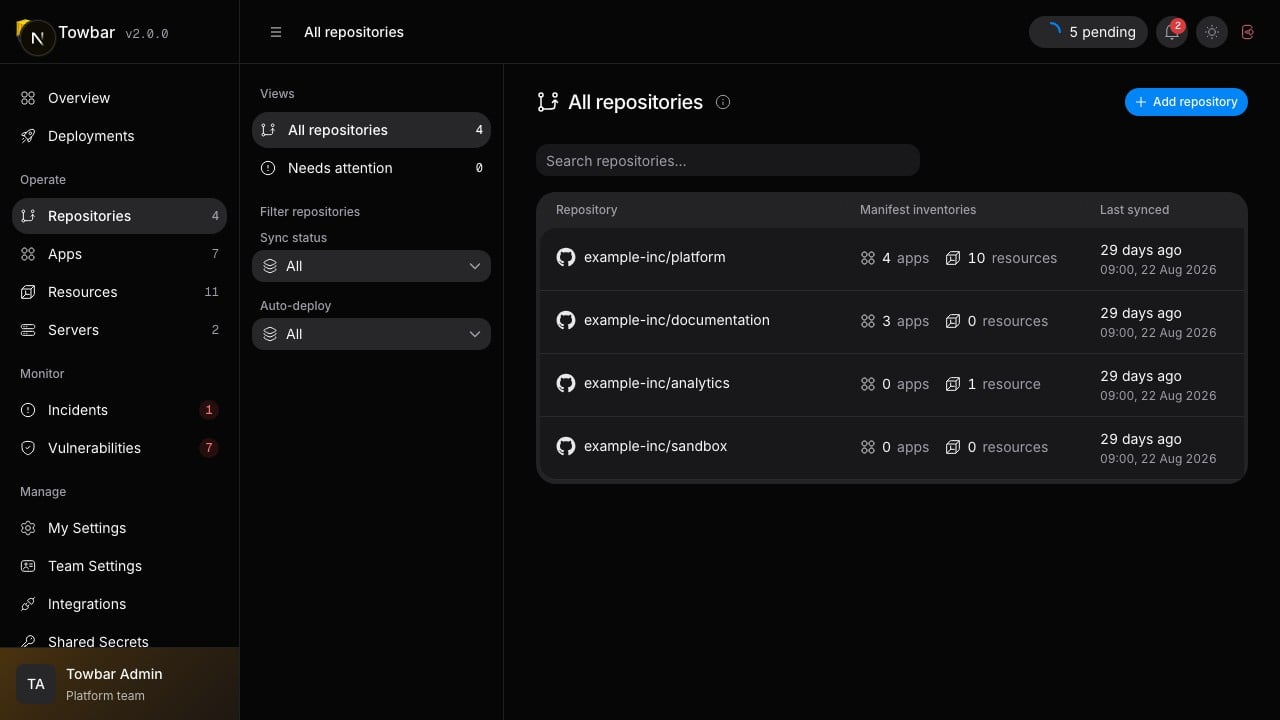
5. Open the sync result and confirm it succeeded. The imported apps and resources should now appear under the Repository.

Manifest validation is atomic. Invalid configuration or a reference to an unregistered server fails the sync without partially changing inventory.

<div className="towbar-doc-screenshot">
  <div className="towbar-product-light">
    <img src="https://mintcdn.com/avgeek/7IKQY5hBmeQaVMw0/assets/release-v2/repositories-light.jpg?fit=max&auto=format&n=7IKQY5hBmeQaVMw0&q=85&s=4821546c832845d52f689d15ae9b641f" alt="Repositories show their imported app and resource inventories and latest sync time." width="1280" height="720" loading="lazy" data-path="assets/release-v2/repositories-light.jpg" />
  </div>

  <div className="towbar-product-dark">
    <img src="https://mintcdn.com/avgeek/7IKQY5hBmeQaVMw0/assets/release-v2/repositories-dark.jpg?fit=max&auto=format&n=7IKQY5hBmeQaVMw0&q=85&s=e3e06513c86c44156fe930336bce861f" alt="Repositories show their imported app and resource inventories and latest sync time." width="1280" height="720" loading="lazy" data-path="assets/release-v2/repositories-dark.jpg" />
  </div>

  <p>
    Repositories show their imported app and resource inventories and latest
    sync time.
  </p>
</div>

## Map environments to branches

Open **Environments** inside the Repository to see its branch mappings and sync
status. **Edit branch** changes a mapping in Towbar; branch names do not belong
in `towbar.yml`. Saving validates and syncs the selected branch without deploying.
If that branch cannot be read or its configuration is invalid, Towbar preserves
the last valid configuration and existing secret values.

PR previews follow the branch mapped to an environment with previews enabled.
For example, staging mapped to `develop` accepts eligible PRs targeting `develop`.
<div className="towbar-doc-screenshot">
  <div className="towbar-product-light">
    <img src="https://mintcdn.com/avgeek/7IKQY5hBmeQaVMw0/assets/release-v2/repository-environments-light.jpg?fit=max&auto=format&n=7IKQY5hBmeQaVMw0&q=85&s=6331ac3f781d7402fc32c2260ba25b2a" alt="Map a branch to each named environment in the repository." width="1280" height="720" loading="lazy" data-path="assets/release-v2/repository-environments-light.jpg" />
  </div>

  <div className="towbar-product-dark">
    <img src="https://mintcdn.com/avgeek/7IKQY5hBmeQaVMw0/assets/release-v2/repository-environments-dark.jpg?fit=max&auto=format&n=7IKQY5hBmeQaVMw0&q=85&s=44045c1b323a58c6b7fdc17425ebd296" alt="Map a branch to each named environment in the repository." width="1280" height="720" loading="lazy" data-path="assets/release-v2/repository-environments-dark.jpg" />
  </div>

  <p>Map a branch to each named environment in the repository.</p>
</div>

## Change configuration

Edit the entity files in Git and merge into the affected environment's mapped branch. A push webhook starts reconciliation; **Sync now** lets you request it explicitly. Review the sync's commit and issues before expecting a deployment.

Rename the display `name` freely, but preserve each workload's `id`. Removing an ID archives that workload. Reintroducing the same ID and kind restores its identity and history.

## Control automatic deployment

Automatic deployment is opt-in. Use the manifest to select which workloads deploy and, for apps, which files count as inputs. The Repository's automatic-deployment controls let you pause automation while investigating an incident or coordinating a maintenance window.

Manual deployment is still a separate action. See [Deployments and releases](/docs/deployments) for the distinction between sync, queueing, execution, and promotion.

## Repository settings

Use **Settings → Shared secrets** for values shared by this Repository's workloads, with separate named environments and isolated preview values. Use **Settings → Notifications** to choose destinations and event categories. SSH and Cloudflare credentials belong to the workspace server rather than the Repository.

If a repository is missing or a webhook stops arriving, start with [GitHub troubleshooting](/docs/integrations/github#maintain-the-connection).

## Delete a repository

Deleting a repository removes its imported apps, resources, and operational history from Towbar. Running services and Docker data remain on their servers. After deletion, run **Check server** on each affected server and open **Settings → Cleanup** to review leftovers and remove them on demand. Volume deletion is a separate, permanent action. See [server cleanup](/docs/servers#clean-up-leftover-workloads).

Towbar suggests environments from the repository default branch when its configuration is available. You can add other environment names directly, even when the default branch has no manifest. Each selected environment is validated against `towbar.yml` on its mapped branch. Environment names must be unique within a Repository; there is no fixed environment-count limit. Server capacity and repository size still constrain what can run.
