
towbar.yml and the entity files under .towbar/. Admins and Members manage shared keys and values in Towbar. App and resource key names are declared in YAML; their values are edited in Towbar. Saved values stay hidden until a recently authenticated Admin reveals them.
Choose the right scope
Shared secrets are available for reference; they are not automatically added to Repositories, apps, or resources. Configure each variable where it is needed:
globals reads a value from Manage → Shared secrets. source reads a value from the app or resource’s own Repository. A Repository value can reference a global value; apps and resources can reference either scope. Global values are literal, and Repository values cannot reference other Repository values. References may be embedded in a larger value. Missing or invalid references stop deployment with an error that does not include secret values.
Repository references use the same environment and stage as the child variable. Preview values use preview:<environment>; for example, a staging preview reads preview:staging repository values, never staging or production repository values. Global references use the workspace value for the selected stage across all environments, including previews. Reference a global value only when it is appropriate to share it with that environment. Resources use their own environment runtime values. Empty strings are valid values. Removing a required key from the entity YAML deletes its saved value on the next successful sync of that environment. It does not restore an inherited value. Hooks receive values only when that hook is configured.
Required keys
Apps declaresecrets.build, secrets.runtime, secrets.preDeploy, and
secrets.postDeploy at entity level. Resources declare only secrets.runtime;
build and hook stages are rejected. Sync adds new keys unset, preserves existing
values and references, and removes values for deleted declarations only in the
synced environment. The editor always shows declared keys. Missing values block
deployment; they do not block sync. Key changes are made in Git, while shared
secret keys remain editable in Towbar.
Form and File modes
For workspace Shared secrets, choose Build, Runtime, Pre-deploy, or Post-deploy in the secondary sidebar. These workspace values are shared across environments when explicitly referenced. On an app or Repository, both environment and stage stay inside the page. Use the Form and File tabs inside the secrets widget. The mode switch is hidden when no keys are declared. Members can update values in Form mode without revealing existing values. In-page environment and stage selectors use dropdowns on mobile and tabs on larger screens. Form edits one key and value at a time. Configured values show a masked placeholder; use the eye icon to reveal or hide one value. Valid shared-reference expressions are highlighted in yellow. File is available to Admins because it fetches and reveals the stored values for the selected scope, environment, and stage in a.env editor. Edit one KEY=value assignment per line. Quoted values, multiline quoted strings, comments, and optional export prefixes are supported. Quote values containing # to keep it as part of the value. Duplicate keys and invalid syntax must be corrected before saving or switching back to Form. Comments and formatting are not stored.
KEY= saves an empty string. Unchanged values are preserved. Switching modes does not save: use Save to apply edits. References remain expressions in the editor and resolve only for execution.
Save and deploy
The editor shows locally configured keys. Click the eye icon to reveal a stored value, then click it again to hide it. Revealing a value does not change it. References are shown as the stored expression so they remain editable; deployment resolves them to the referenced value. Leaving a replacement input untouched preserves the value. Replacing it with an empty string explicitly saves an empty value. Concurrent edits are rejected; refresh and reapply the intended changes. Save stores changes for the next execution. It does not restart containers or enqueue deployment. Deploy the affected app or resource separately when you are ready. Build changes require rebuilding the image. Runtime changes require a replacement deployment. Image rollback uses current secrets and does not restore revoked credentials. Shared Preview values and app references can be saved independently and are used by later eligible Preview deployments. Towbar rechecks pull request eligibility and rejects deployment while another deployment or cleanup is active.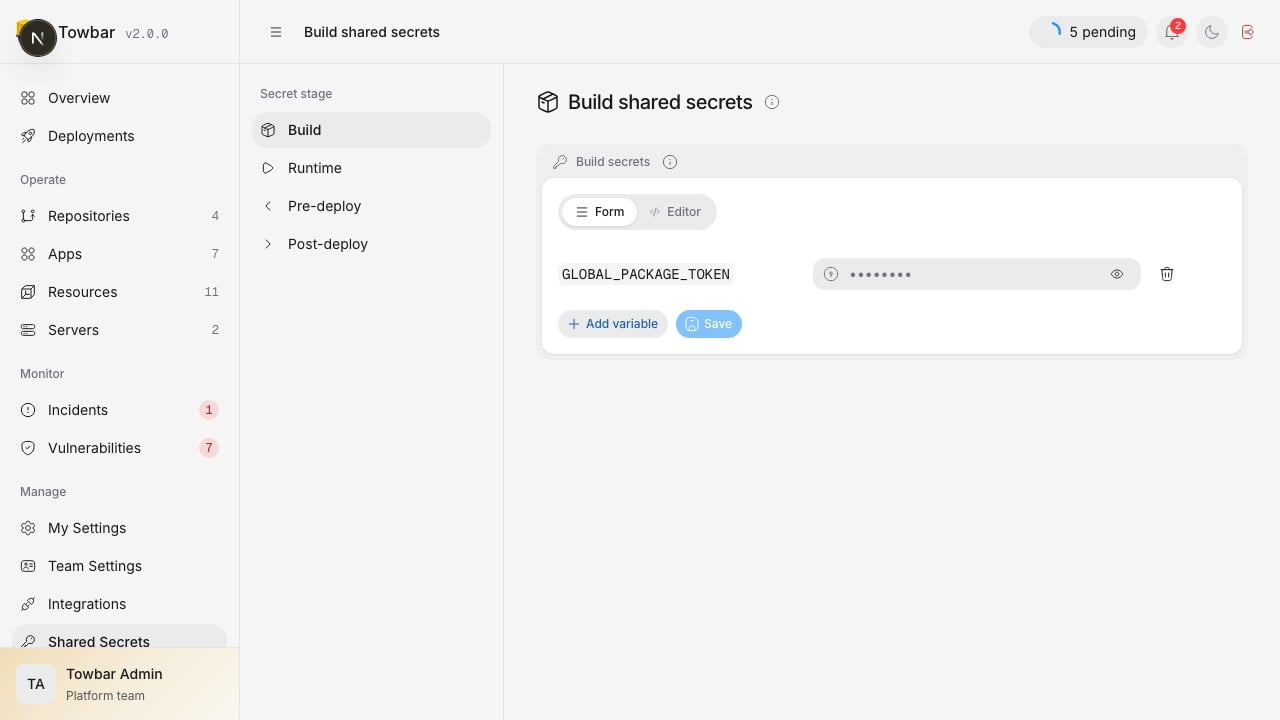
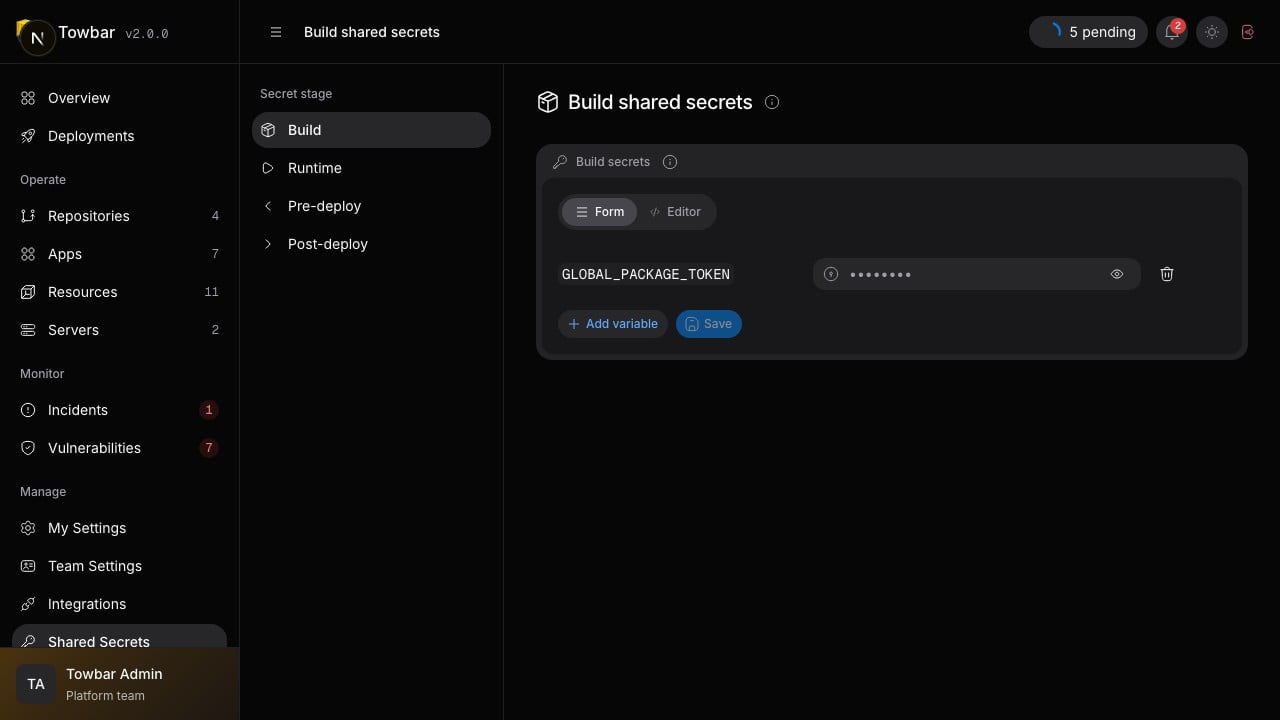
Shared secret names remain visible while their saved values are masked.
Rotate credentials
ChangingPOSTGRES_PASSWORD in Towbar does not change the password already stored inside an existing PostgreSQL database. Coordinate database password rotation separately. SSH and Cloudflare replacement similarly updates what Towbar uses; it does not provision those credentials at the provider or server.
Enable Cloudflare TLS and store its token under Server → Settings → Cloudflare TLS.
Workload YAML continues selecting tls.mode: cloudflare-dns when that deployment
requires it.
External secret managers
Applications may install and invoke their own secret-manager CLI in a Dockerfile or entrypoint. Towbar needs no provider adapter. Supply only the bootstrap credential through the appropriate Towbar stage. For builds, use Docker BuildKit secret mounts, for exampleRUN --mount=type=secret,id=INFISICAL_TOKEN .... Never bake the token into ARG, ENV, or an image layer. Towbar retains the individual BuildKit mounts and the TOWBAR_BUILD_ENV_JSON aggregate mount; that aggregate name is reserved.
For runtime, configure the bootstrap credential as a runtime secret and launch the application through the manager’s entrypoint command, such as infisical run -- .... Follow the provider’s authentication instructions. Credentials fetched inside the application remain the application’s responsibility, including avoiding logging them.
References: Docker build secrets and Infisical Docker integration.
External secret providers
Admins can add one Infisical or Doppler configuration under Integrations → External secrets. Grant each connection only to the repositories and environments that may reference it. A manifest stores the integration slug, provider secret name, optional field/version, and whether it is needed at runtime or build time; it never stores the value. At deployment execution Towbar records the resolved provider version without the value. Infisical retries request that same version. Doppler’s read API does not expose version-addressed retrieval, so Towbar records a keyed snapshot fingerprint and fails closed if a repeated resolution returns a different value; Doppler manifest references therefore rejectversion. Queued execution repeats the connection and scope checks. A disabled connection, denied scope, unavailable version, changed snapshot, or failed provider request stops the operation before promotion.
Runtime values are supplied through the existing encrypted transient secret path. Dockerfile builds use BuildKit secret mounts. Static commands use a short-lived protected environment. Railpack, Nixpacks, and Buildpacks reject build-stage external secrets because those tools cannot currently guarantee that an environment value will stay out of the image and shared cache.
Provider values are redacted from API responses, MCP output, command logs, operation snapshots, generated manifests, and image metadata. Use a provider machine identity limited to the exact project/path and read-only secret versions required by the workload.
API access
For scripts, use the public API with a personal or team API key. The/v1/core routes below are dashboard routes authenticated by a browser session. API keys cannot use reveal endpoints.
Read workspace metadata with GET /v1/core/settings/secrets and update it with PATCH /v1/core/settings/secrets/production/{stage}. The production segment is the storage identifier for workspace values; those values are shared across environments. Repository and app metadata use GET /v1/core/{sources|apps}/{id}/secrets?environment=production, with environment=preview:staging, for example, selecting staging’s isolated Preview scope. Resources use /v1/core/resources/{id}/secrets?environment=staging and support runtime values for their own named environment. App and resource IDs identify environment instances; requests for a different instance environment are rejected. Stage identifiers are build, deployment (runtime), pre_deploy, and post_deploy.
Mutations accept { "expectedRevision": null, "set": { "KEY": "new value" }, "delete": [] }. Use null only for an unconfigured slot, then use its returned revision for later edits. Send only explicitly changed values; metadata and placeholders are never replacement values. A stale revision returns HTTP 409. Metadata includes local keys, available reference names, revisions, and pending changes. Legacy inheritedKeys and inheritedOrigins fields are empty. Secret mutations never enqueue work.
Server credential metadata uses GET /v1/core/servers/{id}/credentials. Cloudflare apiToken changes use PATCH on that path. Submit the stored key’s privateKeyId and the current expectedRevision to POST /v1/core/servers/{id}/credentials/actions/verify-private-key, poll its verification resource, and trust a discovered host key only after comparing its fingerprint independently. Towbar attaches the selected stored key only after SSH authentication succeeds. Metadata and mutation responses contain no values and disable caching. Secret writes require Admin or Member access. Server credentials are administered separately and credential reveal requires a recently authenticated Admin browser session. Slack bot tokens and SMTP passwords are encrypted workspace settings; provider metadata responses never return them.
Removing a server revokes its host-key trust. Restoring that server later requires fresh host-key discovery and explicit trust.
After saving, queue a deployment for the selected environment instance through the app/resource deploy action, or a selected preview with POST /v1/core/previews/{id}/actions/deploy. Report any queue failure separately from the successful save.
To reveal one stored environment value, send POST to the secret stage path followed by /reveal, with { "key": "ENV_KEY" }. For example, /v1/core/apps/{id}/secrets/production/deployment/reveal. The response contains value and revision, uses Cache-Control: no-store, and records a value-free audit event. Workspace and Repository paths support the same operation. Reveal does not resolve references or save changes.
To reveal all stored values for one environment and stage, send POST to the same stage path followed by /reveal-all, with {}. The response contains values (a key/value object) and one revision. File mode uses this single request. It has the same Admin and workspace restrictions, returns stored reference expressions without resolving them, disables caching, and records a value-free audit event with the key count. It does not fetch other scopes, environments, or stages.
Storage and recovery
Secret records are encrypted in PostgreSQL using the separately configured 32-byteTOWBAR_CREDENTIALS_KEY. Authenticated encryption binds each record to its workspace, owner, environment, stage, and identity. Values are resolved by the API for execution and sent over the authenticated internal worker path. An Admin can also retrieve one stored value through the explicit reveal operation. Temporal history, metadata responses, deployment snapshots, and audit events contain no plaintext values.
Back up the Towbar database and preserve its encryption key separately. Restore both to recover secret configuration. A database-only backup cannot recover secrets without the matching key. Do not replace the key on an existing installation without re-encrypting its stored credentials; there is no automatic key rotation or secret history in this release.
Successful environment syncs reconcile required keys for existing App and Resource instances: unchanged keys retain values and references, new keys start unset, and removed declarations delete their values. Failed syncs preserve the previous declarations and values. Archival retains values; permanent owner deletion removes its records. Shared values and servers remain attached to the workspace. A new instance starts with unset required keys. Register a host under Servers before referencing its IP address in an entity file. SSH credentials stay scoped to that workspace server. Cloudflare, Slack, SMTP, and other provider credentials come from the API runtime environment and appear under Manage → Integrations only when their configuration is complete.